技嘉GA-X99M-Gaming 5主板用户使用说明书
2026-11-09
软件下载
安全检测通过
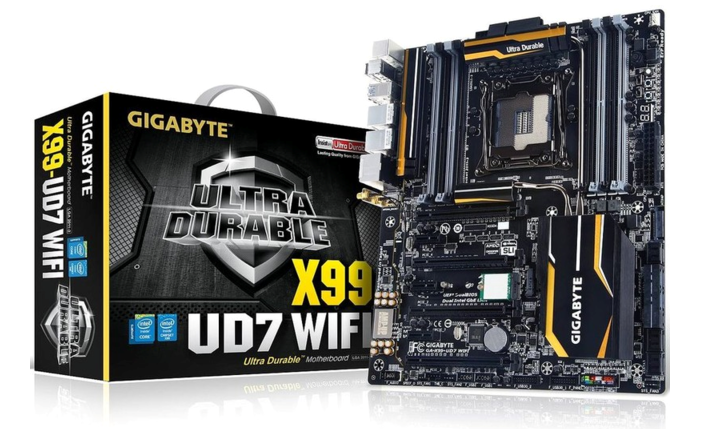
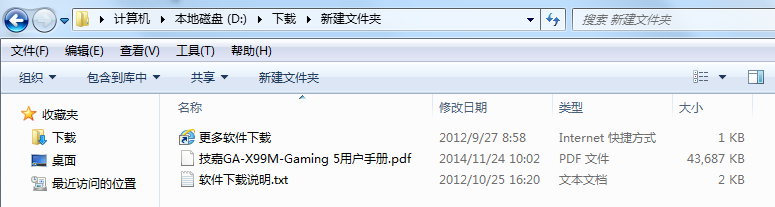
技嘉GA-X99M-Gaming 5采用新的LGA2011-3接口,可兼容SNB-E和IVY-E的LGA2011,支持DDR4内存,原生USB3.0。以下文档是技嘉GA-X99M-Gaming 5用户手册,为英文版,有需要的朋友可立即下载此文档。
温馨提示:
本文档为PDF格式文档,因此需确保在阅读之前你已经安装了pdf阅读器,如果尚未安装阅读器,建议下载福昕pdf阅读器或其他PDF阅读器,进行安装后阅读。
Box Contents ...................................................................................................................6
Optional Items .................................................................................................................6
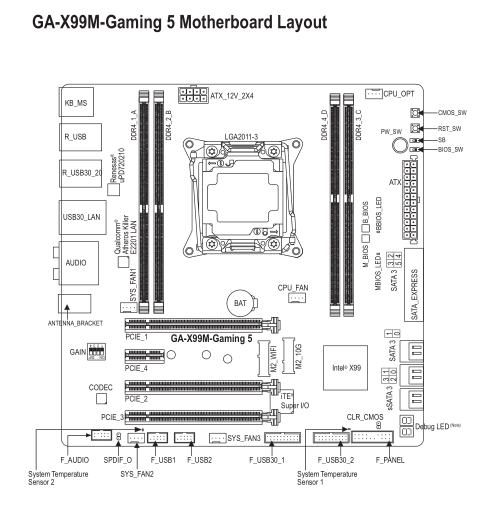
GA-X99M-Gaming 5 Motherboard Layout .......................................................................7
GA-X99M-Gaming 5 Motherboard Block Diagram ..........................................................8
Chapter 1 Hardware Installation .....................................................................................9
1-1 Installation Precautions ....................................................................................9
1-2 Product Specifications ....................................................................................10
1-3 Installing the CPU and CPU Cooler ...............................................................13
1-3-1 Installing the CPU ...................................................................................................13
1-3-2 Installing the CPU Cooler .......................................................................................15
1-4 Installing the Memory .....................................................................................16
1-4-1 4 Channel Memory Configuration ...........................................................................16
1-4-2 Installing a Memory ................................................................................................17
1-5 Installing an Expansion Card .........................................................................18
1-6 Setting up AMD CrossFire ? /NVIDIA ? SLI ? Configuration ..............................19
1-7 Back Panel Connectors ..................................................................................20
1-8 Onboard Buttons, Switches, and LEDs ..........................................................22
1-9 Changing the Operational Amplifier ...............................................................23
1-10 Internal Connectors ........................................................................................24
Chapter 2 BIOS Setup ..................................................................................................35
2-1 Startup Screen ...............................................................................................36
2-2 The Main Menu ..............................................................................................37
2-3 M.I.T. ..............................................................................................................40
2-4 System Information ........................................................................................52
2-5 BIOS Features ...............................................................................................53
2-6 Peripherals .....................................................................................................56
2-7 Chipset ...........................................................................................................57
2-8 Power Management .......................................................................................60
2-9 Save & Exit .....................................................................................................62
Chapter 3 Configuring SATA Hard Drive(s) ...................................................................63
3-1 Configuring SATA Controllers .........................................................................63
3-2 Installing the SATA RAID/AHCI Driver and Operating System .......................75
Chapter 4 Drivers Installation ........................................................................................79
4-1 Chipset Drivers ...............................................................................................79
4-2 Application Software ......................................................................................80
4-3 Information .....................................................................................................80
Chapter 5 Unique Features ...........................................................................................81
5-1 BIOS Update Utilities .....................................................................................81
5-1-1 Updating the BIOS with the Q-Flash Utility .............................................................81
5-1-2 Updating the BIOS with the @BIOS Utility .............................................................84
5-2 APP Center ....................................................................................................85
5-2-1 EasyTune................................................................................................................86
5-2-2 System Information Viewer .....................................................................................87
5-2-3 EZ Setup .................................................................................................................88
5-2-4 Fast Boot ................................................................................................................91
5-2-5 Smart TimeLock......................................................................................................92
5-2-6 Smart Recovery 2 ...................................................................................................93
5-2-7 USB Blocker ...........................................................................................................95
5-2-8 Ambient LED ..........................................................................................................96
5-2-9 V-Tuner ...................................................................................................................97
5-2-10 Smart Switch ..........................................................................................................98
5-2-11 Cloud Station Server ..............................................................................................99
5-2-12 Game Controller ...................................................................................................105
Chapter 6 Appendix ....................................................................................................107
6-1 Configuring Audio Input and Output .............................................................107
6-1-1 Configuring 2/4/5.1/7.1-Channel Audio .................................................................107
6-1-2 Configuring S/PDIF Out ........................................................................................109
6-1-3 Configuring Microphone Recording ......................................................................110
6-1-4 Using the Sound Recorder ...................................................................................112
6-2 Troubleshooting............................................................................................ 113
6-2-1 Frequently Asked Questions ................................................................................113
6-2-2 Troubleshooting Procedure ..................................................................................114
6-3 Debug LED Codes ....................................................................................... 116
Regulatory Statements ............................................................................................120
Contact Us ..............................................................................................................123
集成芯片:声卡/网卡
芯片厂商:Intel
主芯片组:Intel X99
芯片组描述:采用Intel X99芯片组
音频芯片:集成6声道音效芯片
网卡芯片:板载Atheros Killer E2201千兆网卡
CPU平台:Intel
集成CPU:是
CPU类型:Core i7
CPU插槽:LGA 2011
支持CPU数量:1颗
内存类型:DDR4
内存插槽:8×DDR4 DIMM
最大内存容量:64GB
内存描述:支持四通道DDR4 2133/1866/1600/1333MHz内存
主板板型:ATX板型
外形尺寸:30.5x24.4cm